
Tracing Deadlock Graphs: Extended Events or Server Side Trace
Category:
monitoring-troubleshooting
Deadlock graphs are incredibly helpful for figuring out why queries are getting automatically killed off by SQL Server.
Deadlock graphs are incredibly helpful for figuring out why queries are getting automatically killed off by SQL Server.
Whenever we have multiple sessions modifying data, things get tricky. When we have a pattern of “check if the data exists and then do a thing,” multiple sessions get even more complicated.

Recently I got a fun question about an “upsert” pattern as a “Dear SQL DBA” question. The question is about TSQL, so it lent itself to being answered in a blog post where I can show repro code and screenshots.

Sometimes you need to script out all the indexes in a database. Maybe you’re concerned something has changed since they were last checked in. Or maybe the indexes aren’t checked into source control, and you’re working on fixing that. (Important!)
Either way, sometimes you need to do it, and it’s not fun through the GUI. I needed to write some fresh demo code for this recently, and I needed it to give the details for partitioned tables using data compression, and I thought I’d share.
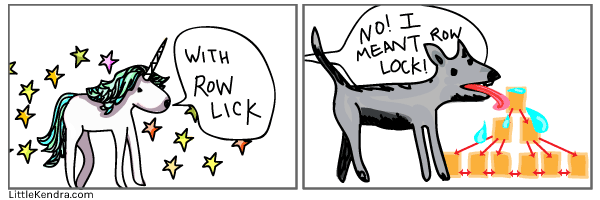
Sometimes when SQL Server gets slow, developers and DBAs find that the problem is blocking. After lots of work to identify the query or queries which are the blockers, frequently one idea is to add ROWLOCK hints to the queries to solve the problem or to disable PAGE locks on the table. This often backfires - here’s why.
It seems like this should be easy. But it’s not.

In A Previous Installment… our heroine (that’s me) rediscovered CTEs, specifically in the recursive style. That was in my post “Filling in Data Potholes with Recursive CTEs.”
Copyright (c) 2025, Catalyze SQL, LLC; all rights reserved. Opinions expressed on this site are solely those of Kendra Little of Catalyze SQL, LLC. Content policy: Short excerpts of blog posts (3 sentences) may be republished, but longer excerpts and artwork cannot be shared without explicit permission.