
ChatGPT Says SSMS Is the Best SQL Server Monitoring Tool
Category:
monitoring-troubleshooting
, sql-server
One thing I enjoy about AI chatbots is that they can help me recognize when I’ve missed something obvious.
One thing I enjoy about AI chatbots is that they can help me recognize when I’ve missed something obvious.

I’m excited for Redgate’s new SQL Change Automation plugin for SQL Server Management Studio (SSMS).
SQL Change Automation lets DBAs and developers use a migrations-first approach to create precise scripts to apply changes to your database. If you’re curious about what I mean by “migrations-first”, read more about this approach, and how it compares to a state-first approach here.

Sometimes you keep a classic around.

SQL Server Management Studio version 17.5 adds a welcome feature for execution plans: a new visual attribute named EstimateRowsWithoutRowGoal.
Last week, I had a great time giving a webcast for the terrific DBA Fundamentals Virtual Chapter. If you like free online training, check them out and sign up for future events.

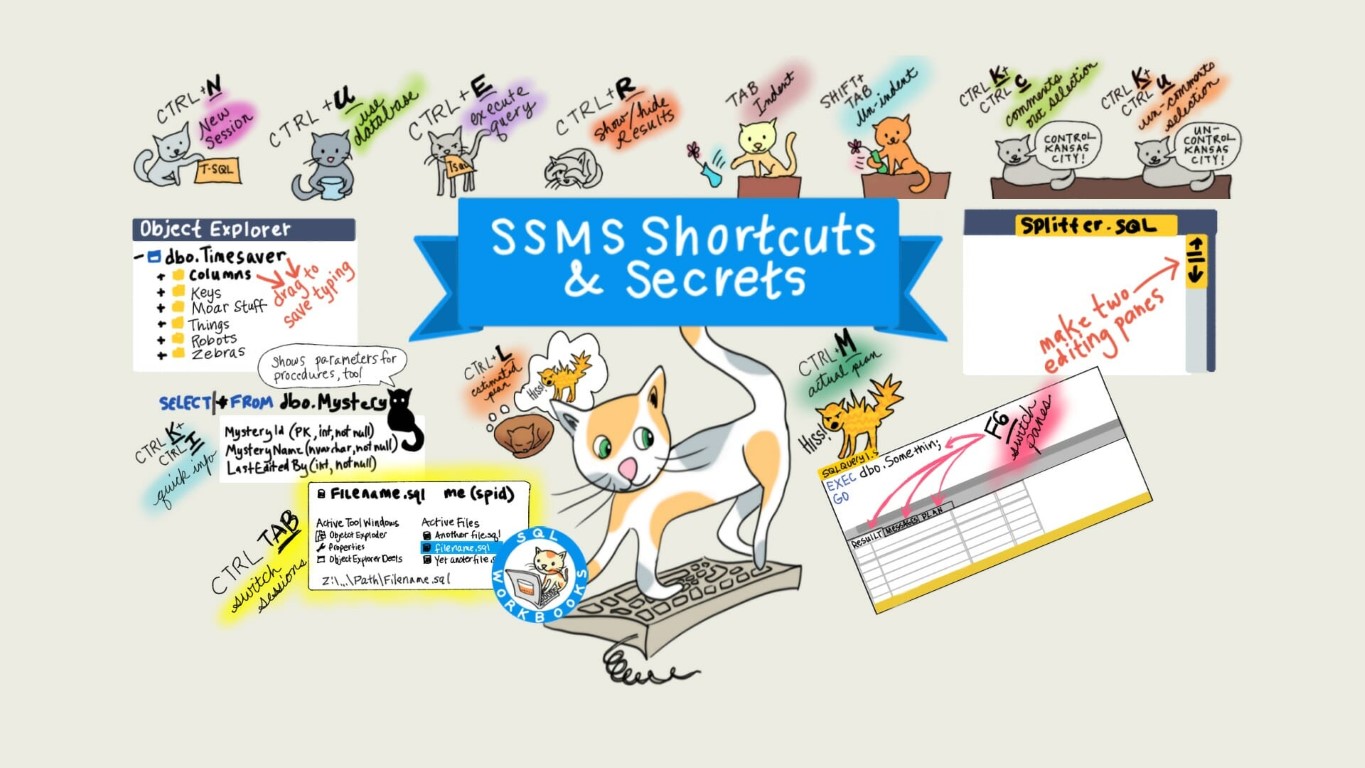
I like to use the keyboard whenever I can in SQL Server Management Studio. It’s not always easy to remember every shortcut though– especially when those shortcuts change!
Since around the SQL Server 2012 era, you’ve been able to switch Intellisense on or off on SSMS with the shortcut chord: CTRL + Q, CTRL + I. I remembered this as “Control Quacky Intellisense.”

One of the coolest things to come to SQL Server Management Studio in a long time might be hard to see at first: it’s tucked away in the Properties Window.
But once you see it, it might just be something that you use all the time.
Copyright (c) 2025, Catalyze SQL, LLC; all rights reserved. Opinions expressed on this site are solely those of Kendra Little of Catalyze SQL, LLC. Content policy: Short excerpts of blog posts (3 sentences) may be republished, but longer excerpts and artwork cannot be shared without explicit permission.