Plan-Forcing

Tag: plan-forcing

Fixing OPTIMIZATION REPLAY FAILED in Query Store: When Plan Forcing Breaks in SQL Server 2022+

Fixing OPTIMIZATION REPLAY FAILED in Query Store: When Plan Forcing Breaks in SQL Server 2022+

Forcing plans with Query Store can be a powerful toolβ€” until it mysteriously fails. In real production systems, plan forcing sometimes just… doesn’t work. One common culprit is the cryptic OPTIMIZATION_REPLAY_FAILED error.

If you’re hitting OPTIMIZATION_REPLAY_FAILED, try re-forcing the plan using @disable_optimized_plan_forcing=1.


Continue reading

Query Hash Values Are Meaningless in SQL Server: They May Be Reset to Be the Same Value as the Query Plan Hash

Query Hash Values Are Meaningless in SQL Server: They May Be Reset to Be the Same Value as the Query Plan Hash

This is the worst bug I’ve found in SQL Server to date. Previously, my top find was SQL Server Online Index Rebuild sometimes happens offline without warning. This one has taken top slot because it makes my life more difficult on a daily basis.

Background: SQL Server generates a query_hash for each query. This is stored in sys.query_store_query and it’s one of the primary ways you can identify what a query is across different Query Stores, or even the same Query Store over time, as surrogate query_id values get reset if Query Store is cleared or data ages on. The query_hash is a ‘Zobrist hash over the shape of the individual query, based on the bound (input) logical query tree. Query hints aren’t included as part of the hash.’ (Source)

Continue reading

Script to Automate Unforcing Failed Forced Plans in Query Store (SQL Server)

Script to Automate Unforcing Failed Forced Plans in Query Store (SQL Server)

tldr; I’ve published a script to loop through all databases on an instance, identify if there are any query plans in a problematic ‘failed" forced state (which can hurt query performance), and un-force them if found. Get the dbo.dba_QueryStoreUnforceFailed stored procedure on GitHub.

This script is designed to work on SQL Server on-prem, in a VM, or in Azure SQL Managed Instance or SQL Server RDS. Since the script is instance-level and loops through all databases, this isn’t really designed for Azure SQL Database – and you don’t get a SQL Agent there anyway, so you probably want to change this around for that use case. The script is shared under the MIT license, feel free to contribute code and/or adapt away for your own uses.

Continue reading

General Failure Failed Forced Plans in Query Store Cause Even Slower Compile Times

General Failure Failed Forced Plans in Query Store Cause Even Slower Compile Times

πŸ”₯ UPDATE: Microsoft has announced the general availability of the Next-gen General Purpose service tier for Azure SQL Managed Instance, which includes improvements to I/O latency, IOPS, and transaction log throughput. This post describes the original General Purpose blob storage. You don't want that.

This post demonstrates two related bugs with plan forcing in Query Store which increase the likelihood of slower query execution and application timeouts in SQL Server environments.

These bugs are most likely to impact you if:

  • You use the Automatic Plan Correction feature in SQL Server, which automatically forces query plans.
  • Anyone manually forces query plans with Query Store.
  • You have slow storage, which can increase your likelihood of having longer compilation times.

The General Purpose tier of Azure SQL Managed Instance and Azure SQL Database feature both slow storage and Automatic Plan Correction enabled by default. So, weirdly enough, your risks of suffering from this problem are high if you are an Azure SQL customer.

Thanks to Erik Darling for his help in diagnosing and reproducing these issues– and his ‘slow compiler’ query used in this post was incredibly helpful to isolate and narrow down these problems.

Continue reading

Erik Darling and Kendra Little Rate SQL Server Perf Tuning Techniques

Erik Darling and Kendra Little Rate SQL Server Perf Tuning Techniques

Erik Darling joins Kendra Little to rate different SQL Server Performance Tuning Techniques in episode 81 of the Dear SQL DBA podcast. We share our opinions of… (deep breath)

Recompile hints, Query Store hints and plan forcing, CTEs, Resource Governor, the legacy cardinality estimator, Table Variables, Automatic Plan Correction, Batch Mode, index rebuilds, Hekaton, NOLOCK, page compression, partitioning, filtered indexes, columnstore, join hints, PSPO, indexed hints, indexed views, optimize for unknown, RCSI, adding more memory, restarting the damn thing, scalar UDFs, and Persisted Memory Grant Feedback.

Continue reading

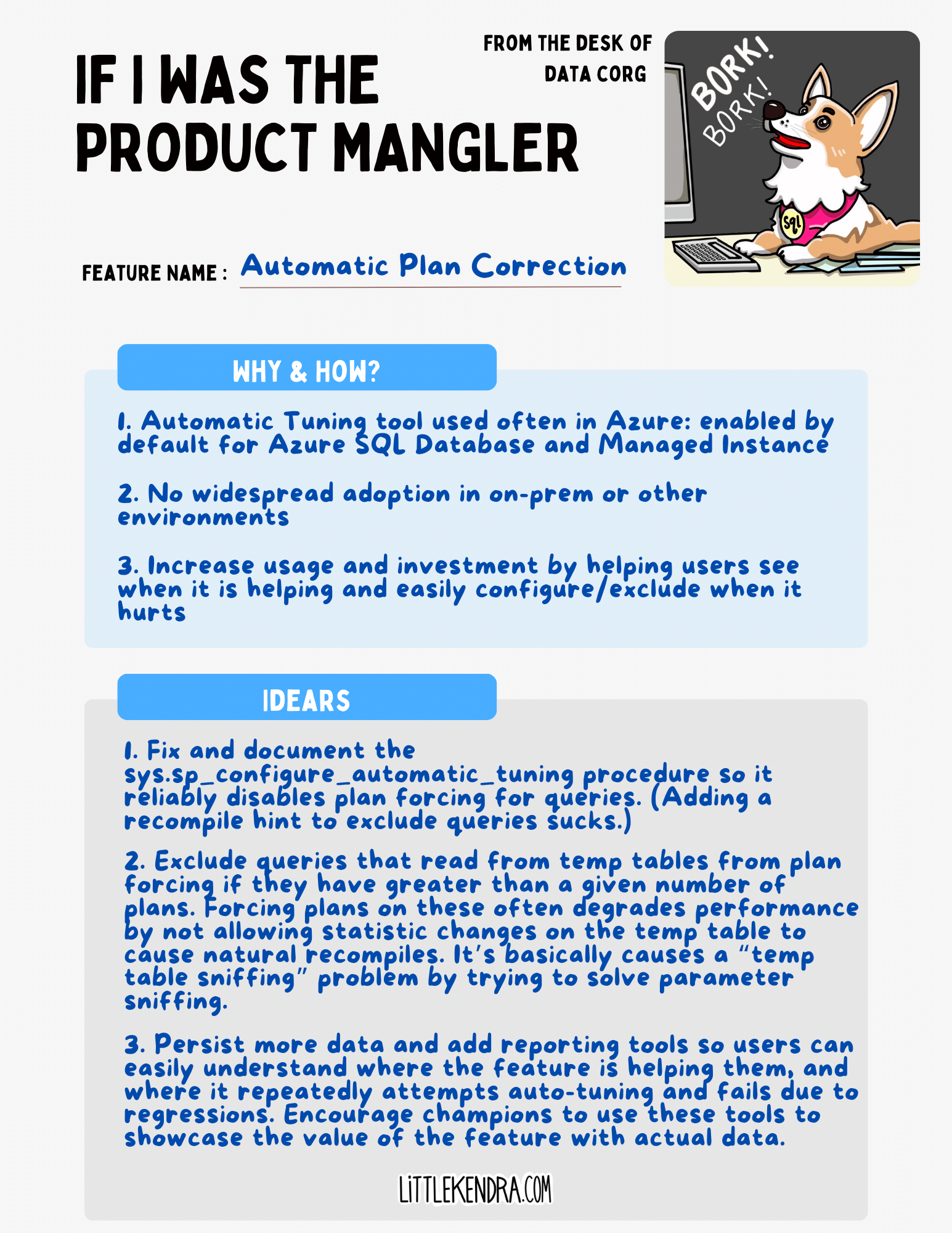
Automatic Plan Correction Could Be a Great Auto Tuning Feature for SQL Server: Here Is What It Needs

Automatic Plan Correction Could Be a Great Auto Tuning Feature for SQL Server: Here Is What It Needs

πŸ”₯ UPDATE: The sys.sp_configure_automatic_tuning stored procedure is now documented and supported by Microsoft. Thanks to the SQL Server Product team for this improvement.

I’ve written a bit about SQL Server’s Automatic Plan Correction feature before– I have an hour long free course with demos on Automatic Plan Correction here on the site.

Today I’m updating that course with a note: after using Automatic Plan Correction in anger for a good amount of time, I do not recommend enabling the feature. I’ve had it cause too many performance problems, and there are not a ton of options for an administrator when it’s causing those problems.

Meanwhile, becoming reliant on the feature for the places where it does help makes it difficult to disable the feature. You end up stuck with a very weird set of problems that are oddly similar to the problems the feature was designed to solve.

Further investment in the feature could solve these problems and make this a great tool for customers. Here’s a run down of what Automatic Plan Correction needs from a user who has suffered from it.

Continue reading

Microsoft is Breaking Database Compatibility Levels for SQL Server

Microsoft is Breaking Database Compatibility Levels for SQL Server

According to Microsoft’s documentation, ‘Database compatibility level … allow[s] the SQL Server Database Engine to be upgraded while keeping the same functional status for connecting applications by maintaining the same pre-upgrade database compatibility level."

But these days, the “functional status” of a database at a given compatibility level differs depending on whether you’re using SQL Server, Azure SQL Managed Instance, or Azure SQL Database – and in the hosted versions it may change anytime without notice. Surprise, your database behaves differently now!

The whole concept is breaking down, and this is bad news for users of both managed services and the boxed product.

Continue reading