
How to See Rowcounts and Execution Time for In-Flight Queries in SQL Server
I frequently need to see rowcounts and execution time for queries while they’re running. Maybe I’m troubleshooting a slow query …
Read MoreBy Kendra Little on • 3 min read
Views let you do dumb things by accident in SQL Server. Then they make you have to think way too hard to fix them.
Most of the time when people create views, they start by refining a SELECT query, then turn it into a view. People also often create multiple views that pull different slices of data and UNION the results together.
Combined, these two things easily lead to undeclared datatypes in views with problematic implicit conversions.
You can even have it return a null if you’re going to UNION that view with other things.
It doesn’t look very weird at all, it just looks like this…
CREATE OR ALTER VIEW
    dbo.i_am_view
AS
SELECT
    some_column = NULL
    /* column2,
    column3
    FROM dbo.Sometable, etc
    */
GO
Here’s the table and its rows:
CREATE TABLE
    dbo.i_am_table
(
    some_column varchar(100) NOT NULL,
    last_modified_date datetime2(0) NULL
);
GO

INSERT INTO
    dbo.i_am_table
(
    some_column,
    last_modified_date
)
VALUES
    ('1', '2023-01-01'),
    ('ONE', NULL),
    (NULL, '2024-01-01'),
    ('', '2025-01-01');
GO
Here’s the query
SELECT
    some_column,
    last_modified_date = ''
FROM dbo.i_am_view AS v

UNION

SELECT
    some_column = t.some_column,
    last_modified_date = t.last_modified_date
FROM dbo.i_am_table AS t
WHERE t.last_modified_date IS NOT NULL
ORDER BY
    last_modified_date;
GO
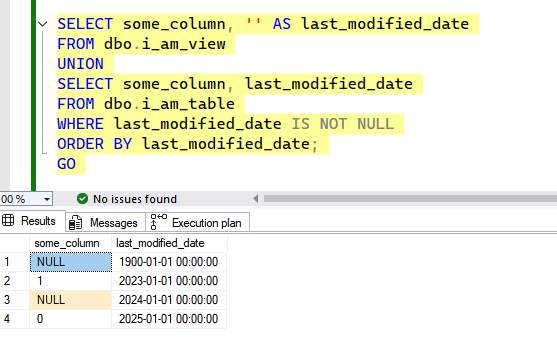
Notable bits:
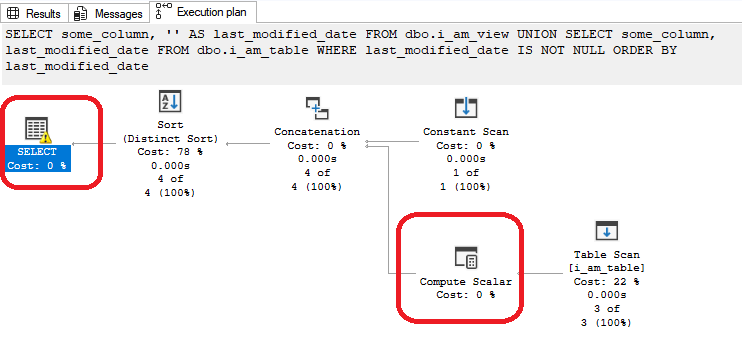
Let’s look at that warning on the SELECT operator, plus that compute scalar operator after we read the table.
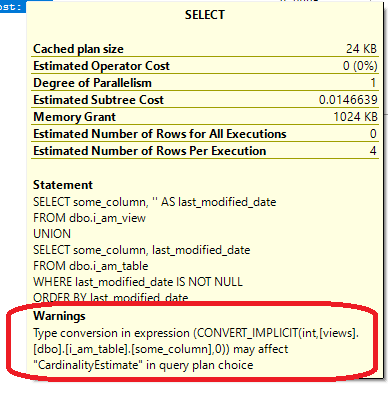
I find these messages really hard to read with the text all crammed together. Here it is with a lot of spacing added:
 Type conversion IN expression (
 CONVERT_IMPLICIT
    (integer,
    [views].[dbo].[i_am_table].[some_column]
    ,0)
 ) may affect "CardinalityEstimate" IN query plan choice
SQL Server decided that it needed to convert the some_column values in dbo.i_am_table from the datatype they are stored as– VARCHAR(100) – into the INT datatype.
Looking at the compute_scalar operator confirms this.
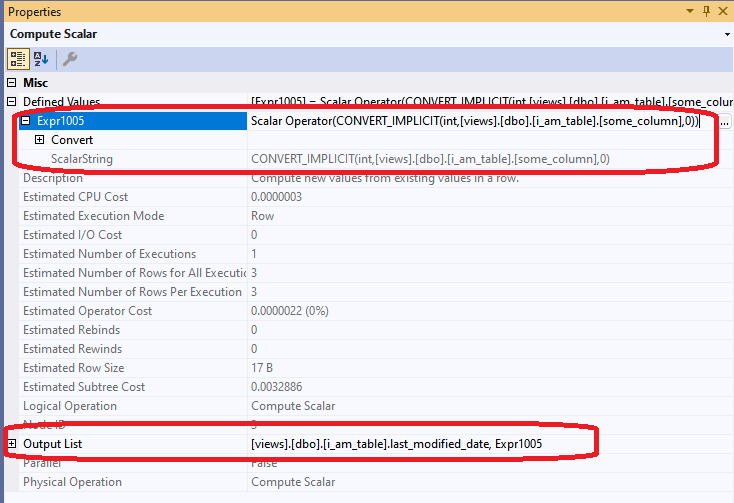
Expr1005 is defined as the result of that CONVERT_IMPLICIT function, which is converting values from some_column to integers. Expr1005 is returned from this operator along with the last_modified_date column.
If we let that row where some_column has the value “one” through, the query fails with the error:
Msg 245, Level 16, State 1, Line 52 Conversion failed when converting the varchar value ‘ONE’ to data type int.
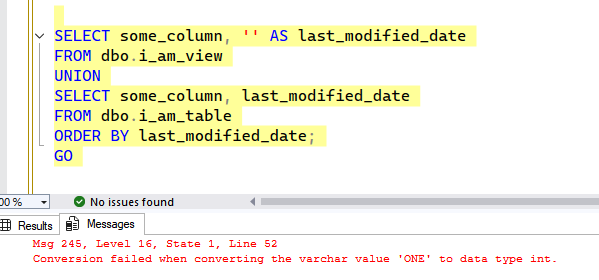
I guess we can’t implicitly convert words to integers.
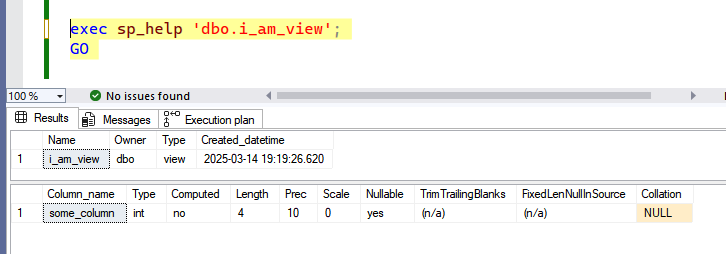
When we created the view, we defined it with:
SELECT
    some_column = NULL
We didn’t give SQL Server anything to go on, so it guessed int.
The same thing happens if we use this syntax to create a temp table.
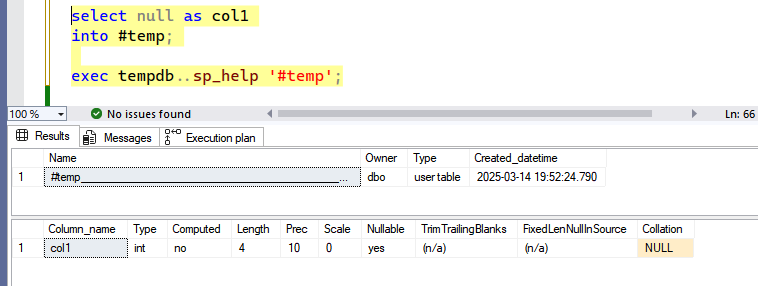
I wish SQL Server wouldn’t let you create a view this way, but it does. However, we’re much better off specifying a data type, which we can do with the syntax:
CREATE OR ALTER VIEW
    dbo.i_am_view
AS
SELECT
    some_column = CAST(NULL AS varchar(100));
GO
This avoids errors with data type conversions, not to mention unexpected results and performance issues with type conversions.



Copyright (c) 2025, Catalyze SQL, LLC; all rights reserved. Opinions expressed on this site are solely those of Kendra Little of Catalyze SQL, LLC. Content policy: Short excerpts of blog posts (3 sentences) may be republished, but longer excerpts and artwork cannot be shared without explicit permission.