How to See Rowcounts and Execution Time for In-Flight Queries in SQL Server
I frequently need to see rowcounts and execution time for queries while they’re running. Maybe I’m troubleshooting a slow query …
Read MoreBy Kendra Little on • 4 min read
Steve Jones and I had a great time today talking about source control for databases and release patterns for performance and availability in Seattle. We had a group of folks who asked terrific questions, made thoughtful comments, and interacted throughout the day.
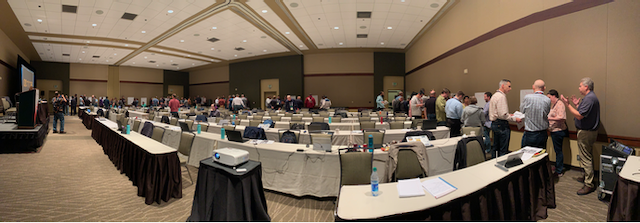
Here are some links and resources from the day…
This has been requested by the community for many years, but now is the right time to please vote up this suggestion.
After all, Microsoft just made Transparent Data Encryption as well as a whole slew of other cool things available in Standard Edition in SQL Server 2019. Things have really changed in Microsoft, and your voice matters: voting and commenting helps!
Troy Hunt’s amazing post from 2011 is unfortunately still as relevant today as ever. Lots of helpful info on the business value of dedicated development environments is here: https://www.troyhunt.com/unnecessary-evil-of-shared-development/
5,000 is a magic number… but it’s not necessarily 5,000 rows we are talking about, because more locks count than you might think.
This has come up twice in the last two days, so I think a video will be in the works for this! In the meantime:
This series of posts on online deployments from Michael J Swart is soooooo good (and the cartoons can’t be beat, either): https://michaeljswart.com/2018/01/100-percent-online-deployments-blue-green-deployment/
Not a ton of people in the room knew about the amaaaaazing whitepaper on minimal logging in SQL Server: The Data Loading Performance Guide. This is important when you need to bulk load data fast.
Some guidance changes for SQL Server 2016+, for info on that, check out this post: https://blogs.msdn.microsoft.com/sql_server_team/sql-server-2016-minimal-logging-and-impact-of-the-batchsize-in-bulk-load-operations/
Only a few folks in the rooms (whom I referred to as my fellow DevOps nerds with the UTMOST respect) knew about these free online reports which represent the findings from more than 30,000 respondents! This is the work led by Dr. Nicole Forsgren, and it is amazing. The DevOps Research and Assessment Group is now part of Google, download their work here: https://cloud.google.com/devops/
Some PowerShell steps in our demos featured cmdlets from this wonderful and amazing open source community resource.
Our demo has a narrative outlined in a Jupyter notebook from Azure Data Studio. Please don’t blame me for not using a PowerShell notebook, those were just released!
If you are in need of the resources from the day, download them here (73MB: we use a lot of images and they only compress so much).
If you weren’t at the conference, feel free to download a copy. Please remember, though, that slides contain shorthand to help the speaker deliver a narrative, not full explanations: it’s easy to misunderstand based on slides without having been there. In other words, your mileage will vary, but perhaps you can find inspiration.
Thanks everyone for attending!



Copyright (c) 2025, Catalyze SQL, LLC; all rights reserved. Opinions expressed on this site are solely those of Kendra Little of Catalyze SQL, LLC. Content policy: Short excerpts of blog posts (3 sentences) may be republished, but longer excerpts and artwork cannot be shared without explicit permission.